

Getting started
What PixelCake is
A designer for small networks that runs in the browser: you draw, configure and ask whether one device reaches another.
PixelCake is a designer for small networks that runs in the browser. You draw the network, configure it, then ask it a question: does this PC reach that server? If it does not, the answer says where the packet stops, and why.
It is made to reason about a network, not to run one. The drawing is a model: devices, cables, addresses, VLANs, routes, firewall rules. The question is answered by following a packet through that model, one device at a time, and at each device the answer says what the device decided.
Draw, configure, ask, type, present
The work has five parts. You can do them in any order, and go back.
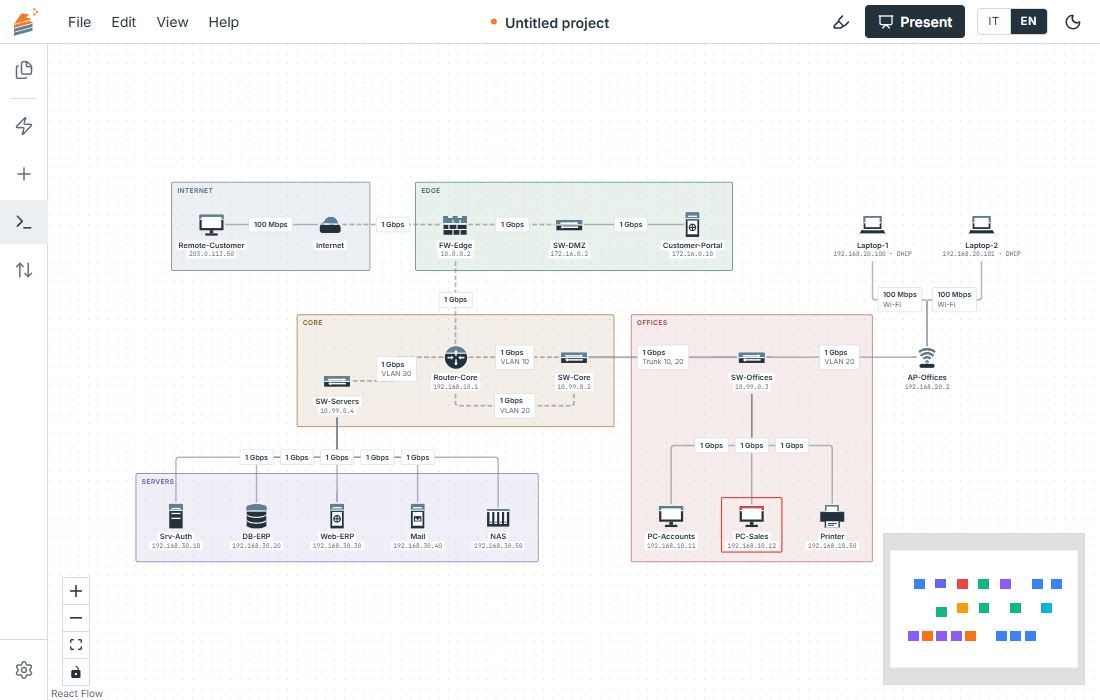
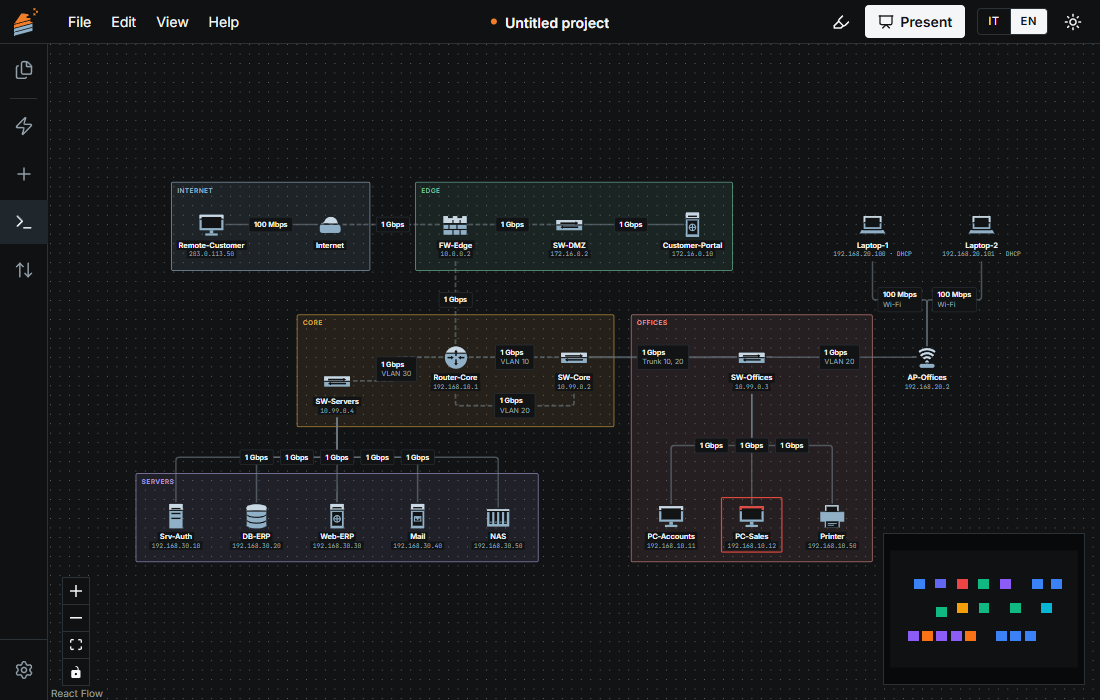
- Draw. Pick devices from a panel (a PC, a switch, a router, a firewall, a server, an access point and others, each with a drawing of its own) and join them with cables by dragging from one device to the next. Areas, coloured rectangles with a name, group what belongs together. See Devices and Cables.
- Configure. Give the devices addresses, split the ports of a switch into VLANs, write routes, put zones and rules on a firewall, translate addresses with NAT, hand out addresses with DHCP and names with DNS. Each is a window of the device or a command of the terminal. See Addresses, VLANs and the section on services and security.
- Ask. In the Simulation panel choose a source, a destination and a kind of traffic, and press the button. The packet travels over the drawing. If it arrives, the destination turns green. If it does not, the animation stops at the device that dropped it, which turns red, and a message names the reason: the port, the route or the rule. See The simulation panel.
- Type. The terminal has a small command language, the same in every device:
ping,trace,show routes,add rule,interface 3 access 10. Commands that change the network edit the same drawing you see. See the terminal reference. - Present. Presentation mode puts the drawing tools away. You click two devices to ask a question, then break a device or a cable and see at once which exchanges stop and which take another path. Nothing in the drawing changes. See Presentation mode.
Here is a question and its answer on the sample network of a small company, first when the PC has the right gateway and then when its gateway is an address nobody has:
pixelcake> ping Web-ERP from PC-Sales
Pinging Web-ERP (192.168.30.30) from PC-Sales...
Reply from 192.168.30.30: hops=6 time=9ms
pixelcake> set gateway of PC-Sales to 192.168.10.254
PC-Sales: gateway set to 192.168.10.254
pixelcake> ping Web-ERP from PC-Sales
Pinging Web-ERP (192.168.30.30) from PC-Sales...
Ping failed (blocked): request: PC-Sales uses gateway 192.168.10.254, but Router-Core port 1 on its network is 192.168.10.1
  dropped at: PC-Sales
The answer names the device where the packet stopped and the reason, so there is something to change.
Who it is for
For people who design or explain a small network:
- students learning how addresses, VLANs, routes and firewalls fit together, who can change one thing and see what it does;
- teachers who want a drawing that answers back, to show on a screen or send as an image;
- technicians who want to think a change through before making it, for example what a new rule or a cut cable does to the rest.
A network of a few dozen devices is the size it is made for. The multinational sample, with 181 devices on ten sites, shows that a large drawing is held too.
What it is not
PixelCake is not a packet-level simulator: it has no ARP, no MAC learning and no dynamic routing, and the time of a ping is worked out from the number of hops. It is not a tool to validate a real network: a reply here means that the model you drew lets the packet through, not that your equipment will. What it does not simulate is listed in Limits and questions, and each page says it where it matters.
Where it runs
In the browser, with no account and no server. Nothing you draw leaves your computer. The work is kept in the browser while you draw, and saved for good to a file you choose: Saving, opening, files says how, and what clearing the browser's data does to what was not saved.
Open source
PixelCake is released under the GNU Affero General Public License v3.0, and its documentation is in the same repository. The code is at github.com/pixelcake-dev/pixelcake. To report a problem, open an issue; Limits and questions says what to put in it. The licences of what the app bundles are in Licences.
Where to go next
Draw your first network: it takes five minutes and ends with a question that is answered and one that is refused. Then see the interface.