

Asking the network
Exporting an image
The whole board as a PNG or SVG image, light or dark, to a file or to the clipboard; from a presentation, with the question and the answer.
The board can be saved as a picture: a PNG for a document, a slide or a message, or an SVG that stays sharp at any size and can be edited in a drawing program. The picture is the whole drawing, in the theme you choose, with the name of the project at the top if you want it. Made from a presentation, it also carries the question that was asked, its answer and the failures.
The window
Choose File → “Export image…”. In presentation mode the same window opens from the “Export image” button of the bar. On an empty board nothing opens, and a notice says “The board is empty: there is nothing to export”.
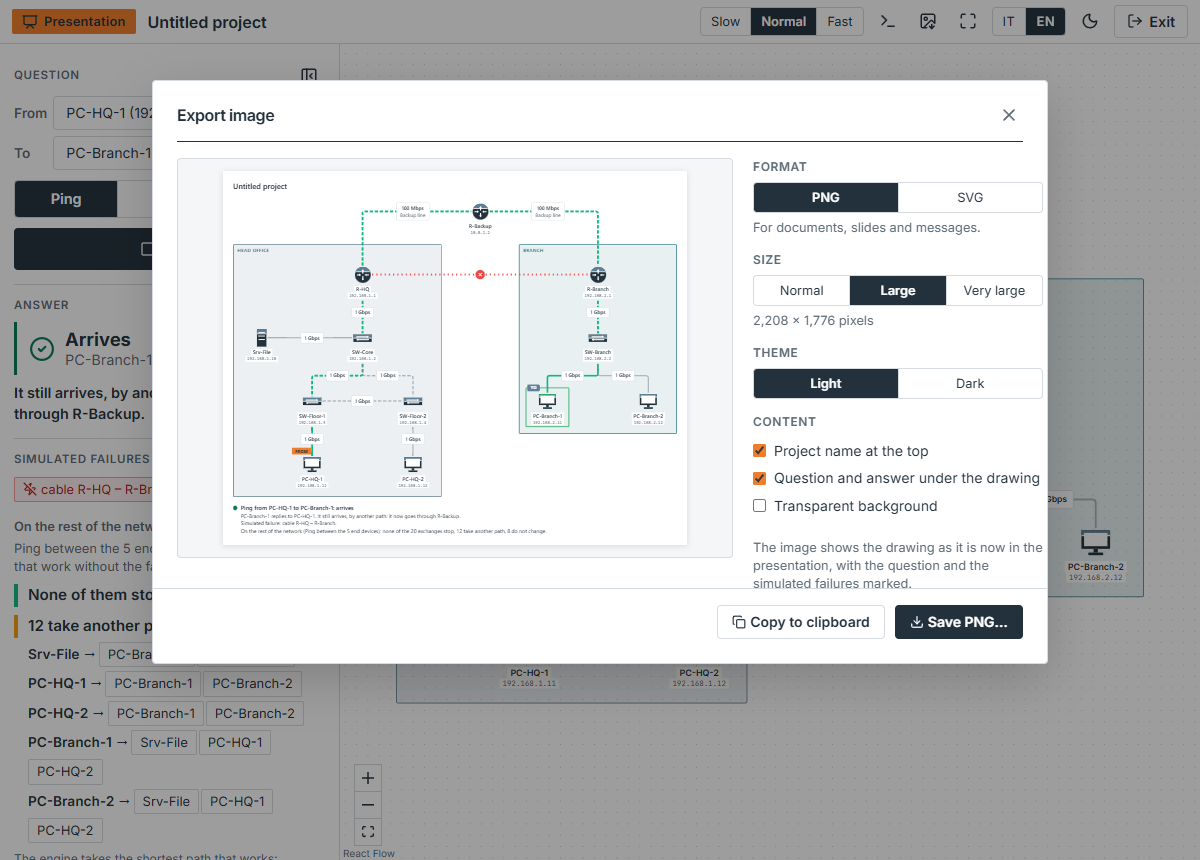
On the left is the preview, which is the picture itself. On the right are the choices, described below. At the bottom:
Save PNG…(Save SVG…for an SVG) writes the picture. In Chrome and Edge the browser asks where to save it; in the others the file is downloaded, and the button readsDownload PNG. A notice says “Image saved” or that it was downloaded, and the window closes.- “Copy to clipboard” puts the PNG on the clipboard, to paste into a document or a message; the button reads “Copied” for a moment. It is there only where the browser lets a page do it.
The file is named after the project, and after the board when the project has more than one, in lower case and with hyphens (office-network.png); when there is nothing to name it by, drawing.
Format, size, theme
- “Format”. PNG is for documents, slides and messages. SVG is vector: it stays sharp at any size, and the text in it stays text.
- “Size”, for a PNG: “Normal”, “Large”, “Very large”, one, two and three pixels for each unit of the drawing. The window writes the size it will have, as
2,208 × 1,776 pixels. “Large” is the choice you start with. An SVG has no size to choose. - “Theme”: “Light” or “Dark”. It starts as the theme of the app, and changing it here does not change the app.
- “Content”:
- “Project name at the top”, with the name of the board under it when the project has several;
- “Question and answer under the drawing”, only from a presentation (see below);
- “Transparent background”: the drawing alone, with no page behind it, to put on a page that has its own. The preview then shows a chequered ground.
The picture is drawn again from the data of the board, not taken from the screen. It always shows the whole drawing, whatever part is in the window and at whatever zoom, with the names and the addresses under the devices (a device on DHCP shows the address it is leased), the labels of the cables, and the areas, unless View → “Show areas” has them hidden. The annotations of annotation mode are drawn over all of it, their words in the handwriting, which the picture carries in itself, only while the mode is on: what you see is what you export. With the mode off and annotations on the board, the window says they are not in the image. It shows no selection and no connection points.
Outside a presentation it also shows the lamp of the last answer: the device that answered turns green and the one that stopped the question turns red, as on the board (see what stays on the board), and a device that waits for an address says so.
The PNG is made as soon as the choices are, so that saving or copying is one press. For a moment after each choice the button reads “Preparing the PNG…”.
From a presentation
Opened from the bar of the presentation, the window shows the drawing as it is on screen now: the devices that are down and the cables that are cut marked, the two ends of the question tagged FROM and TO, the way of the answer drawn on the cables, and the annotations, if annotation mode is on (annotations). Under the drawing, the picture says what was asked:
- a heading with the question and its colour:
Ping from PC-HQ-1 to PC-Branch-1: arrives; - the answer in a sentence, with, when it does not arrive,
Reason:and the reason of the engine; - the failures:
Simulated failure: cable R-HQ – R-Branch.; - the effect of the failures on the rest of the network, in the sentence the panel writes under “On the rest of the network”.
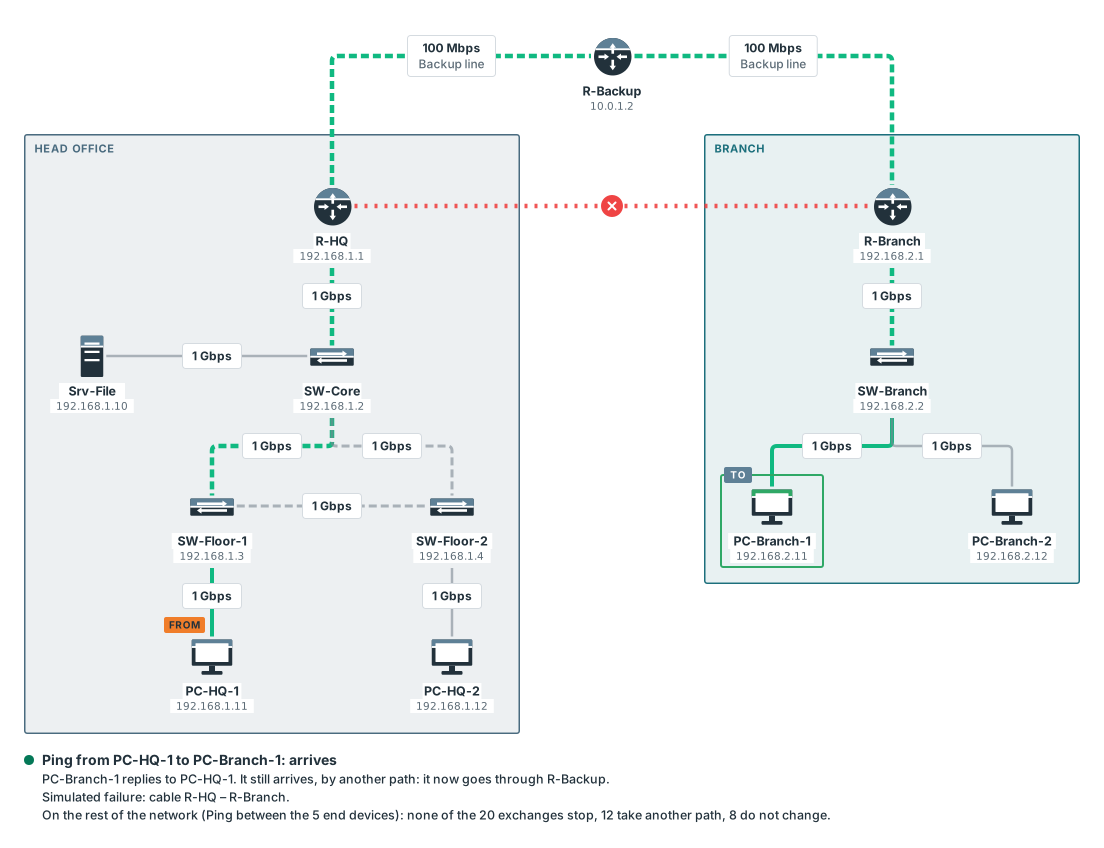
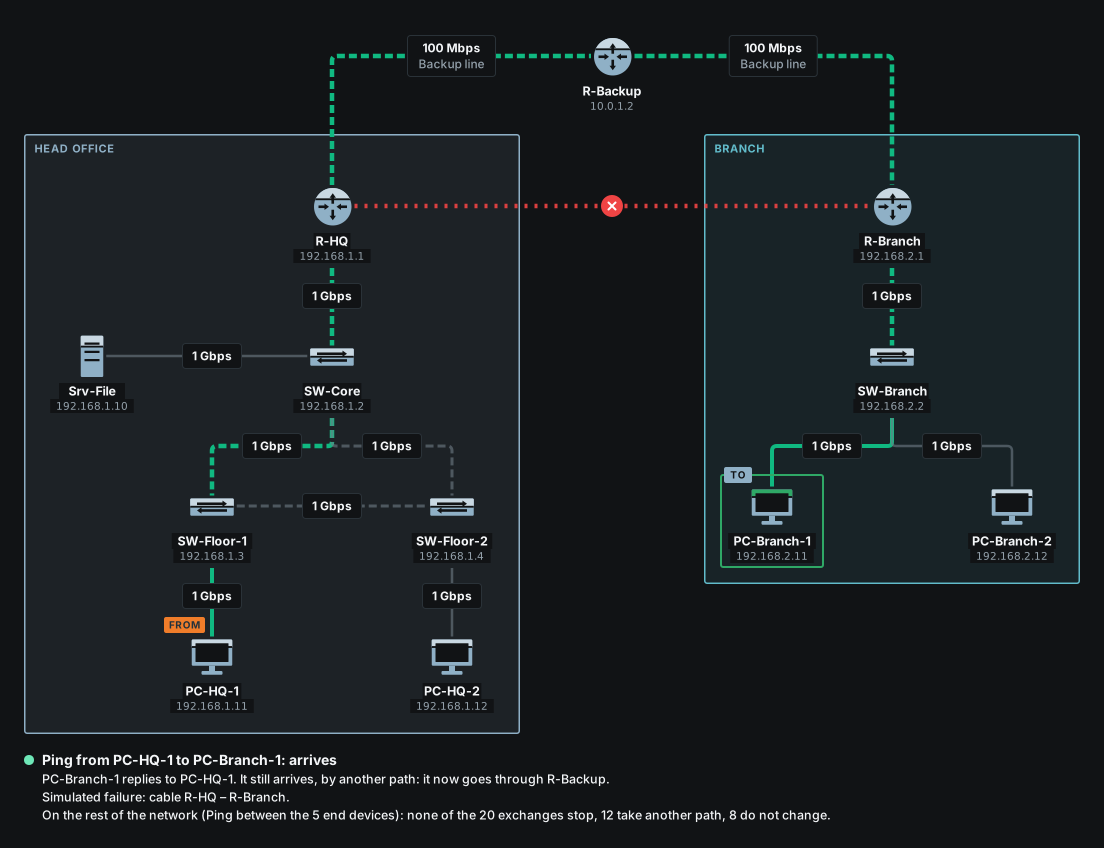
“Question and answer under the drawing” turns that text on and off. When there are failures and no question, the same box reads “Simulated failures under the drawing”, and the text is the failures and their effect. A note in the window says “The image shows the drawing as it is now in the presentation, with the question and the simulated failures marked.”
The effect of the failures takes a moment on a large drawing, and the picture waits for it: until it is worked out the save button reads “Working out the effect of the failures…” and is not pressable.
Limits
Limits
- One board at a time. A project with several boards exports the one on screen; export the others one by one.
- The typeface of the computer. The words in an image are set in the typeface of the computer it is made on, not in the one of the interface, which an image cannot carry along. The same SVG opened on another computer can have slightly different letters.
- Very large PNGs are reduced. The browser cannot paint a PNG of more than 16,384 pixels on a side, or 64 million pixels in all. A larger drawing is made as large as the browser can, and the window says
(reduced: the largest the browser can create). The SVG has no such limit. - A picture, not an animation. The packet is not in the image, only where the answer ended and the way it took.
- Copying needs the browser. Where the browser does not let a page put an image on the clipboard there is no “Copy to clipboard”; save the file.